

While Notion is a powerhouse for many. Its “blank slate” approach often leads to complexity or performance issues for specialized workflows. Whether you’re looking for AI-driven automation, a traditional project management structure, or a private second brain. The market for Notion competitors has evolved to offer highly focused alternatives. This guide explores the top 10 Notion competitors. While focusing on their strengths, limitations, and pricing to help you find the perfect fit.
Check my HR Complaint Tracker on Notion
Motion: The AI-Driven Assistant
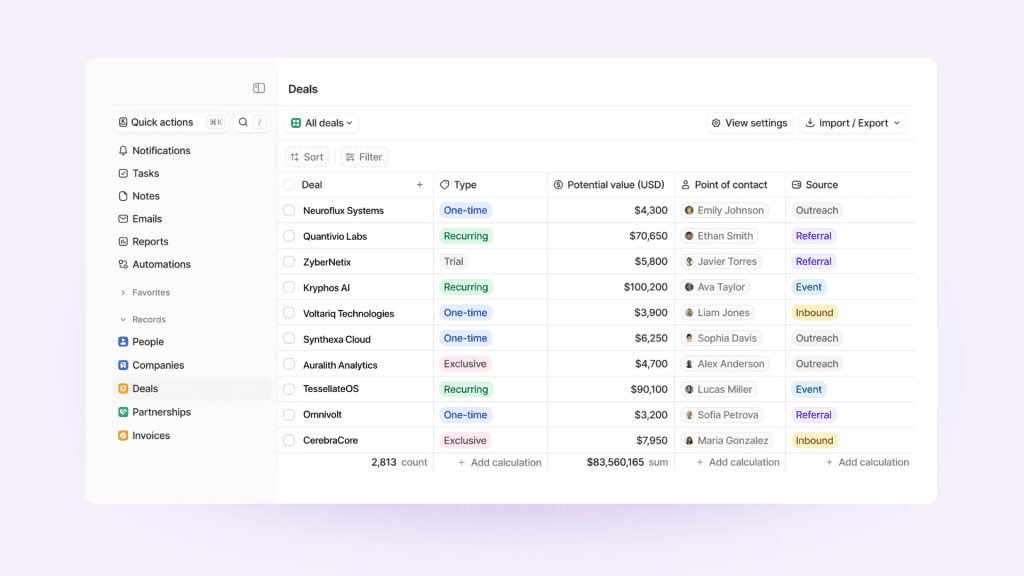
Motion is an assistant that takes all your unique information and uses it to build your perfect day. It is one of the best productivity tools for execution. For individuals seeking a daily planner or an automated project management solution that utilizes AI to handle the mental load of scheduling, Motion is a great option. However, it may not be the best choice for teams on a tight budget or those requiring advanced Gantt-based reporting. The pricing is approximately $29 per month for individuals and $19 per user per month for teams when billed annually.
Coda: The “Doc as an App”
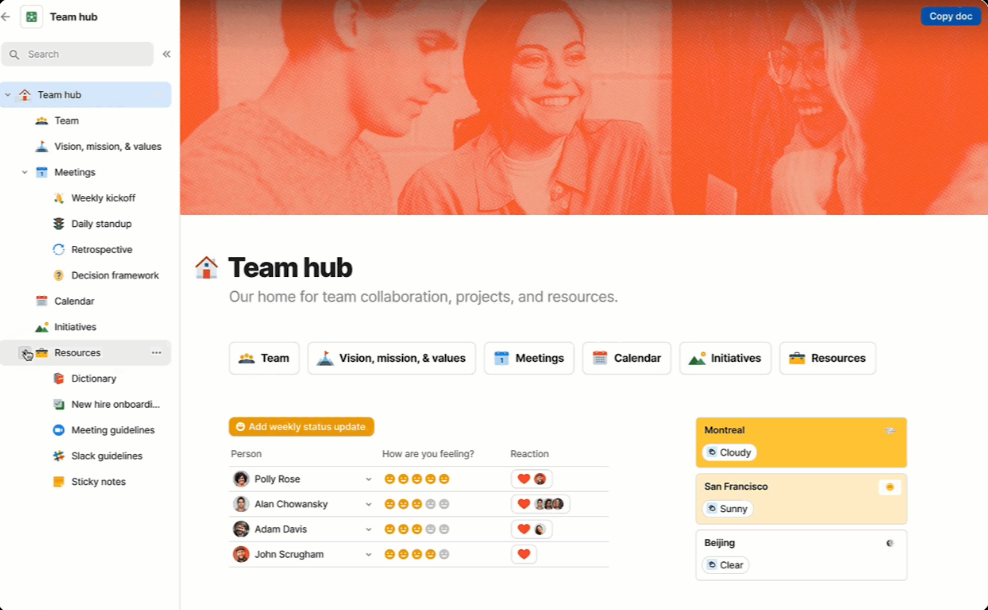
Coda feels like a custom application rather than a document. It is built for teams that need to do more than just store information through interactive buttons and powerful automations. It is a good option for teams that look for functionality and advanced custom logic inside their docs. However, the platform lags when handling huge datasets, making it a poor choice for high-volume data. The pricing starts with a free plan, followed by the Pro plan at $10 per month per Doc Maker and the Team plan at $30 per month per Doc Maker.
Obsidian: The Private “Second Brain”
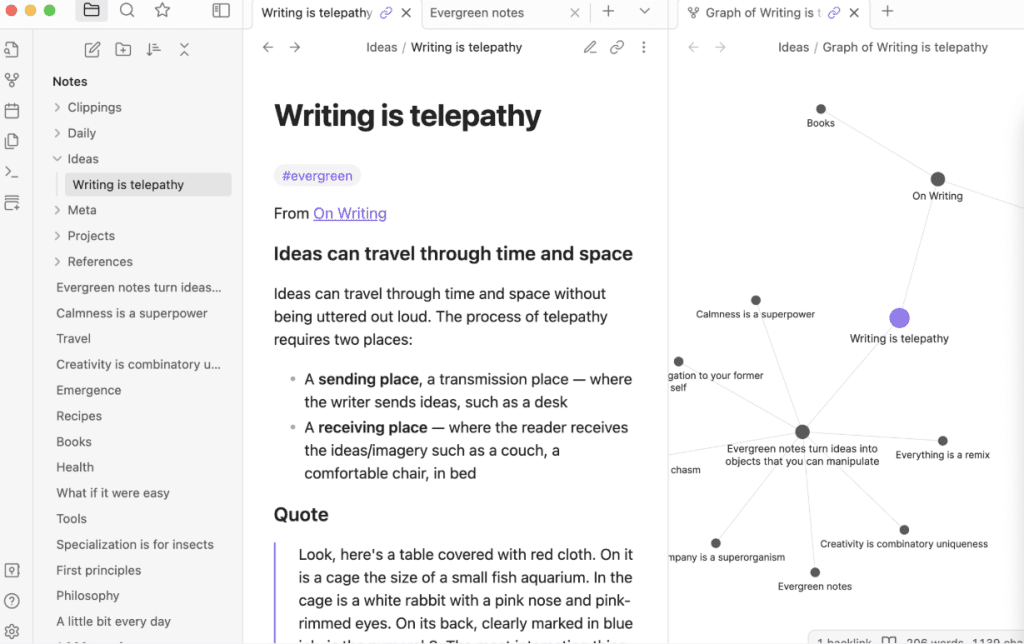
Obsidian is the ultimate local-first alternative that stores everything as Markdown files on your own hard drive. With total privacy and permanent offline access. Researchers, writers, and individuals who prioritize data ownership and personal knowledge mapping will find it indispensable, though the platform lacks the real-time cloud collaboration features required by most teams. While it is free for personal use, a commercial license costs $50 per user per year, with optional cloud syncing available for $4 to $8 per month.
My honest opinion after trying Obsidian and looking at market data is that this tool is not really a good option for businesses in need of a management tool. It’s more like a personal tool than a business software.
Asana: The Traditional Project Manager
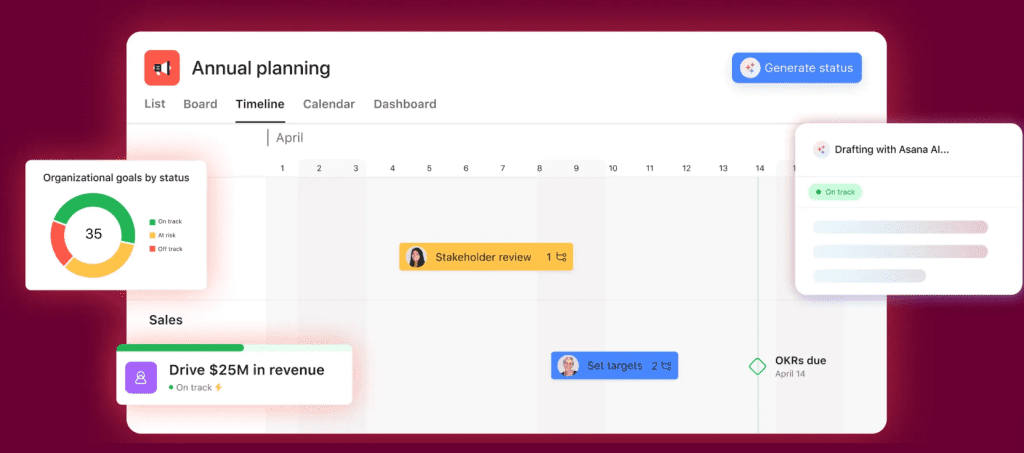
The tool embodies the traditional project manager’s vision, offering robust features such as Gantt charts and advanced reporting capabilities. Good for larger teams with the resources to properly manage complex project setups. However, solo users and small teams often find its rigid structure and heavy feature set more overwhelming than helpful. The pricing includes a free tier for personal use, with the Starter plan beginning at $10.99 per user per month and the advanced plan at $24.99 per user per month when billed annually.
However, and to be honest here, I’ve talked to many business owners who reported not liking Asana anymore, and were exploring Notion as an alternative.
Monday.com: Visual Workflow Tracking
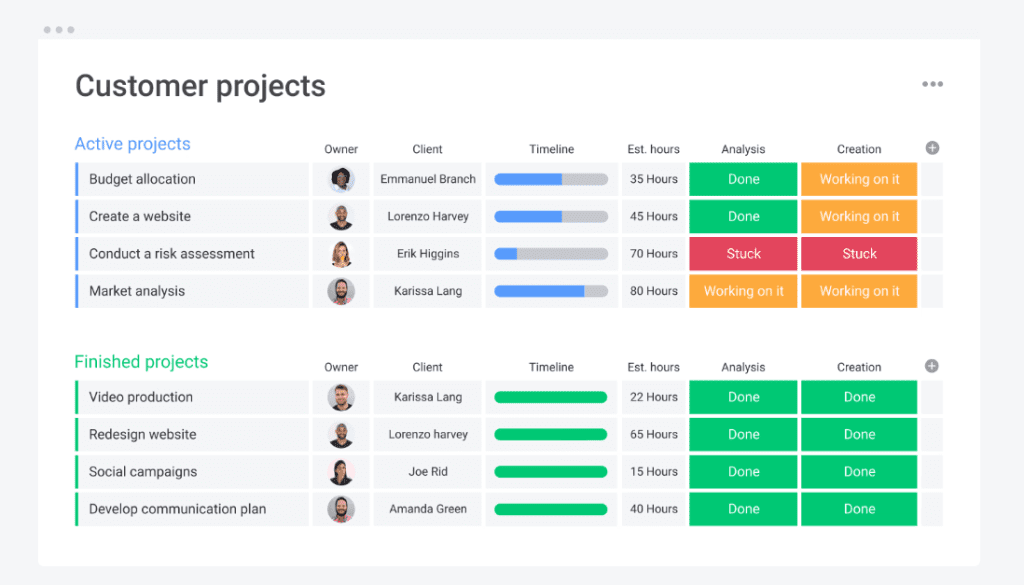
Monday.com markets itself as a visual, all-in-one project management tool that hits the ground running with excellent marketing and intuitive dashboards. It is ideal for teams that require complex project tracking with a colorful, visual interface that is easy for non-technical users to use. However, it is not suitable for teams needing an extensive wiki or a document-heavy knowledge base. Their pricing structure includes a free tier for up to two seats, with the Basic plan starting at $12 per user per month and the Standard plan at $19 per user per month when billed annually.
ClickUp: The Comprehensive “Everything” App
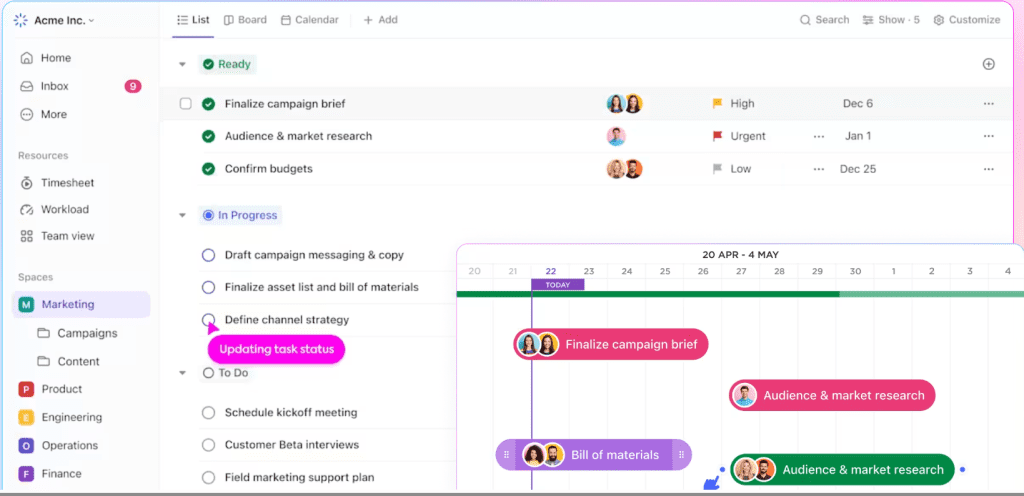
ClickUp positions itself as the “everything” tool for productivity. Integrating project management with document creation, goal tracking, and even an email inbox. Teams looking to replace multiple tools should consider one highly customizable platform. However, minimalists who prefer a clean user interface may find its abundance of features overwhelming. The Unlimited plan is priced at $7 per user per month, and Bussiness pan is priced at $12 when billed annually, and a free version is available for basic use.
Airtable: The Relational Database King
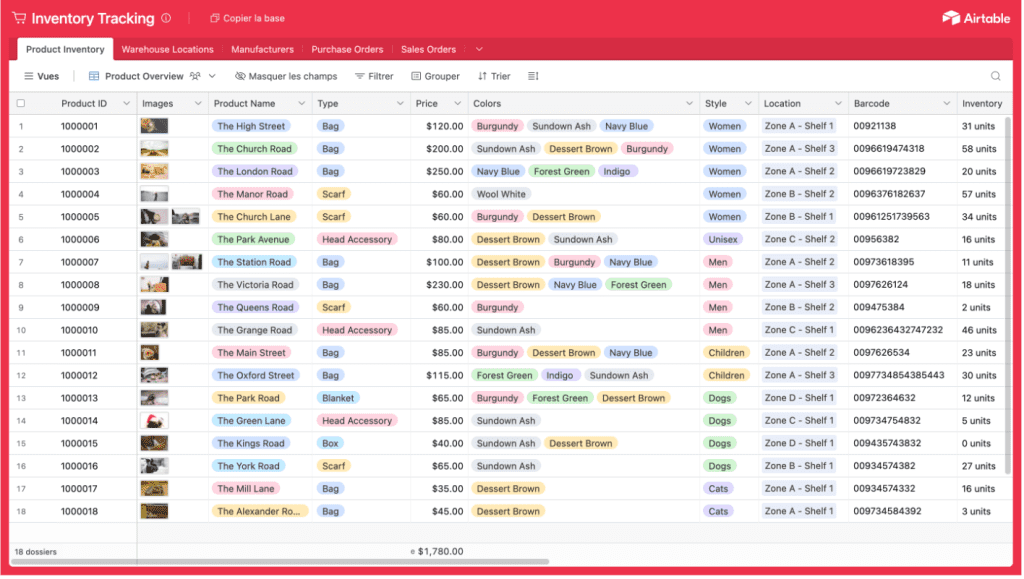
Airtable is a database powerhouse that serves as a superior alternative to spreadsheets and is nearly endlessly customizable. It is ideal for data-intensive operations and small teams concentrating on back-end organization. This option suits teams primarily focused on task execution or those with tighter budgets, as seat costs can escalate quickly. The annual pricing for the Team plan is $20 per user per month, for Bussiness pan is $45 per user per month, with a free tier available for smaller projects.
Slite: The Organized Team Wiki

Slite provides a minimalist escape for teams overwhelmed by Notion’s clutter, prioritizing clarity and automated document verification. This solution is well-suited for remote teams that require a clean and searchable “Single Source of Truth” that can be easily organized as documents become outdated. However, it is not suitable for users who need complex relational databases or advanced task management capabilities. Their standard plan is $8 per user per month, and the knowledge suite plan is $20 per user per month. Slite offers a free tier for teams just starting their documentation journey.
Smartsheet: The Enterprise Spreadsheet
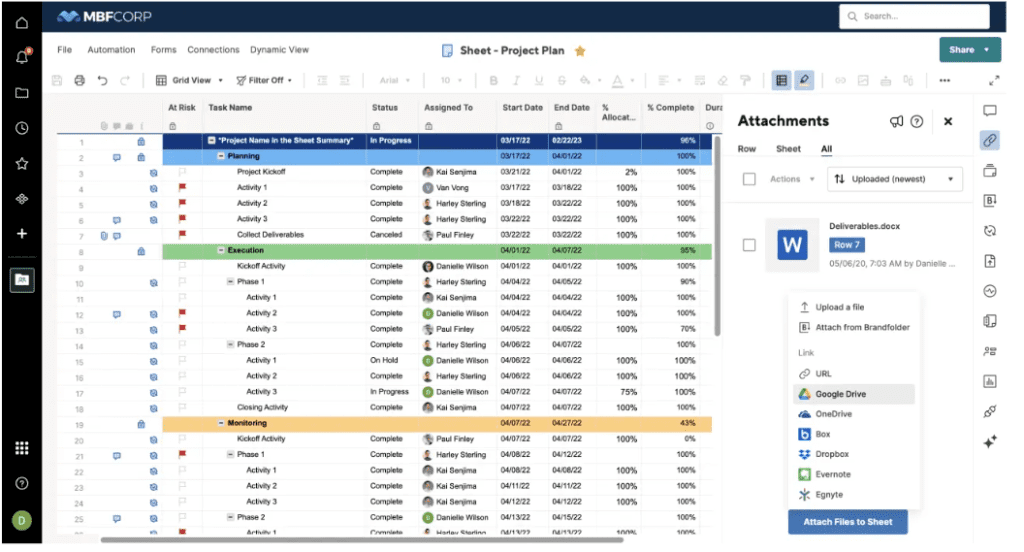
Smartsheet uses a familiar spreadsheet interface. But adds powerful project management layers to help teams track projects and manage resources at scale. It is most suitable for corporate environments and departments that favor a data-centric, Excel-style approach to managing their work. However, it is not ideal for creative teams that prefer highly visual Kanban boards or open-ended designs. Pricing starts at $9 per user per month for the Pro plan, and for the Business plan is $19 per user per month, billed annually. A free tier is also provided for smaller teams.
Trello: Simple Visual Kanban
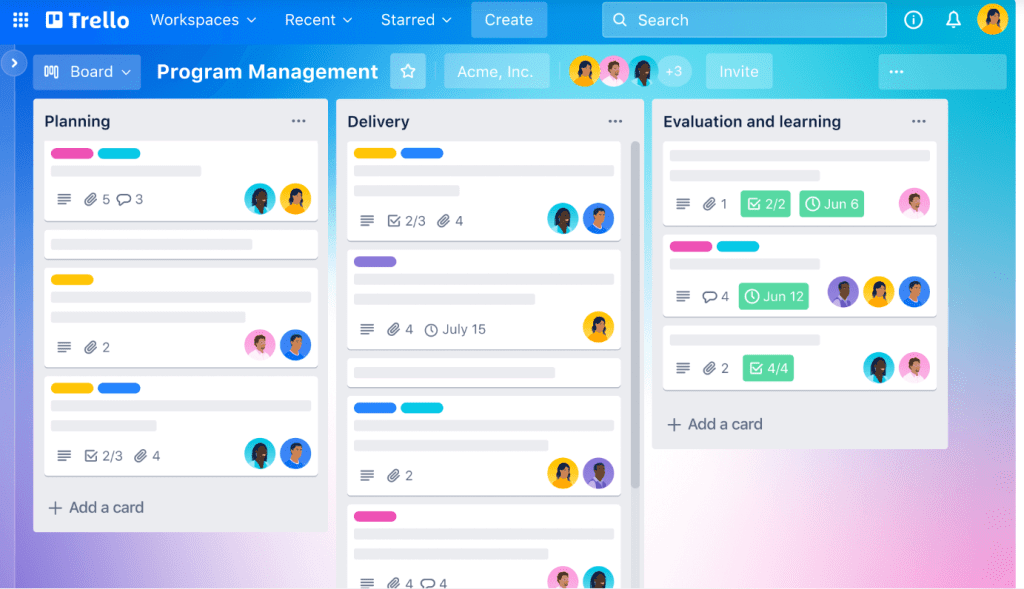
Trello remains the king of visual work management. It allows teams to ideate and manage work through a simple card-and-board system that requires almost zero learning curve. Trello works well for individuals or small teams seeking a lightweight, visual project board to celebrate their achievements. However, it is not effective for complex projects with numerous dependencies or extensive documentation requirements. The Standard plan is $5 per user per month. The premium plan is $10 per user per month when billed annually. The free version remains a highly effective choice for many.
I’ve also seen many business owners shift from Trello to Notion in the past weeks.
How to Choose the Best Notion Alternative for You
To find the right tool among these Notion competitors, you must first identify your primary workflow bottleneck. If your current system feels cluttered, minimalist tools like Slite or Trello will clear the noise. For offline privacy, choose Obsidian. You should then match the software to your Worker Type: Architects who love data will thrive in Airtable or Coda. Librarians and Executors will prefer the structured documentation of Slite or the schedule-driven power of Motion and Asana. Always consider the learning curve. Choosing Trello provides immediate value, while investing in Obsidian or Airtable requires time to build a custom system. Finally, test the tool’s ecosystem compatibility to ensure it meets your 2026 requirements for offline access, ease of use for non-tech teammates, and long-term searchability.
Final Budget Breakdown for the Best Notion Competitors
In terms of budget for these Notion Competitors. Obsidian is the best choice for a free, long-term personal vault. Trello and ClickUp offer the most generous free tiers for small collaborative projects. For small teams looking to spend between $5 and $10 per user, Trello, ClickUp, and Smartsheet are the most budget-friendly options for unlocking pro features. In the mid-range of $10 to $20 per user, Motion, Coda, and Monday.com provide the best value for teams prioritizing automation and custom app-building. Finally, Airtable and high-tier Asana plans are premium investments for organizations where deep data reporting and resource management are critical enough to justify a higher seat price.
Check my Notion templates here
